
How to Survey an Audience
I learn a lot about my audience all year long thanks to using Interest Based Tagging in my email marketing, but I was curious… what do they really know about me?
I’ve seen other businesses send out surveys. I’ve even filled out a few! But what exactly where they trying to accomplish by sending these out, and how could I benefit from doing the same? Like… what did I hope I gain from this, and what would I even do with the information once I had it?
Now that over 100 people (which is approximately 1.5% of my email list) have filled out my survey, I thought it would be interesting to talk about how I chose to set up my survey, incentivize my audience, and what I hope to do with the results.

Table of Contents
Why ask your audience to fill out a survey?
My business has morphed quite a bit over the last few years especially, and to be honest… I’m not even sure what people really know about my offerings anymore. Do they know that I offer a 1:1 coaching service? Are they in either of my Facebook groups? Where do they look when they want to see what courses I sell?
The biggest thing for me was that I was curious just how many people knew about things I felt are important to the success of my business, but maybe aren’t. Was I wasting time showing up in places my audience isn’t even hanging out? How did any of them even find me?
The answers to these questions, I think, are rather important so that you don’t waste a bunch of time and energy. I’d much rather nurture what’s working instead.
How to incentivize your audience
I figured there were a few ways I could incentivize people, and I don’t think any of them are necessarily the right or wrong answer here. In exchange for filling out the survey I could…
- Send a free copy of a course, training, ebook, or other digital good
- Enter them to win a bigger prize bundle of goods
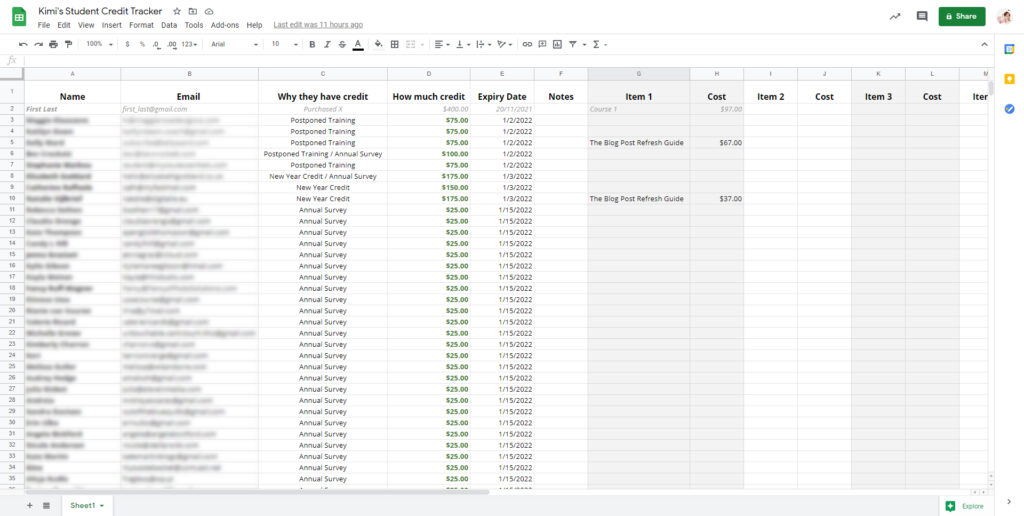
- Offer a $25 credit that they could use on or towards anything I sell, excluding my 1:1 services.
I ultimately chose option 3. It felt kind of crappy to offer people something that they may already have, or not even have use for – I worried less people would be willing to respond if I did that (not to mention the admin work of enrolling each person – no thank you). I didn’t think I would bother if someone simply offered to enter me to win something, so that didn’t feel good to me either.
Offering them a $25 credit made things easier for me, and has a few advantages…
- People aren’t as likely to say ‘no’ to free money.
- I could take my time marking people down in my Credit Tracker, and not feel pressured to respond further.
- They would be much more likely to make a purchase later knowing that they had a $25 credit to use.
Tools for surveying your audience
There’s so many tools out there, but I wanted to talk about 3 tools I considered, what I ultimately chose, and what I think may have been a better option.
- Elementor Pro form hosted on my website
- Google Forms
- Paperform
Elementor Pro Form
I ultimately chose to create an Elementor Pro form and host it on my own website. I largely did this because it felt like the most simple option at the time – I already had the page layout designed thanks to other forms I have on my website. But I also chose to do it this way because I liked the idea of my Annual Survey page being branded. It kind of felt important based on the experience I’m accustomed to delivering.
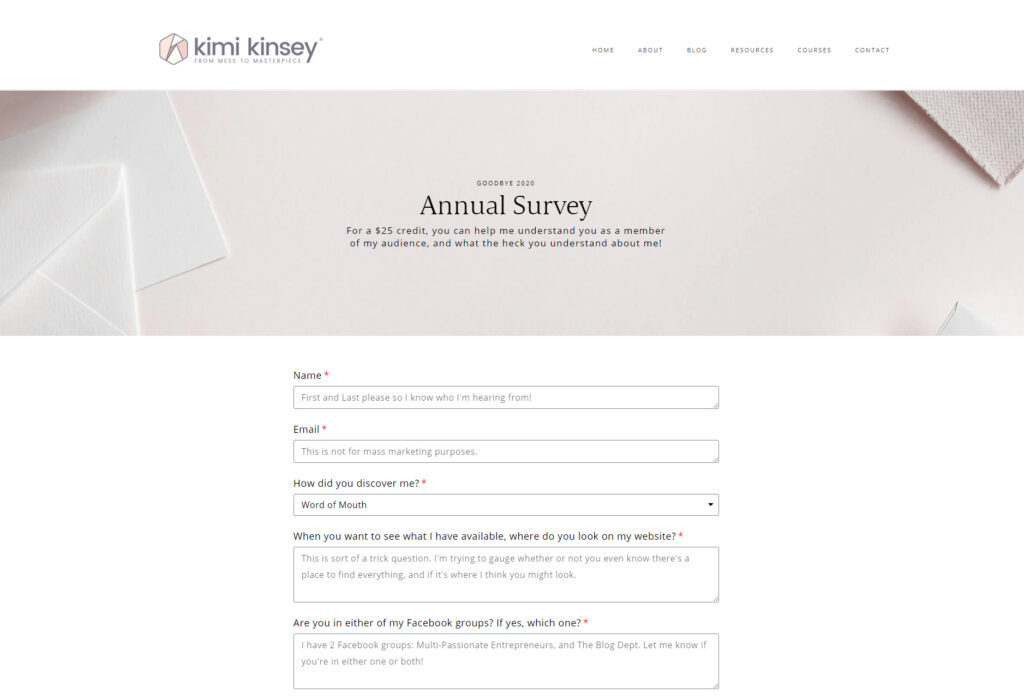
If you have some very simple questions with specific answers that your audience can select from (vs text boxes where they might give explanation), I think there are better options for you such as Google Forms (more on why in the next section).
Whenever someone filled out the form, I would receive an email with my chosen subject line “Completed For: Annual Survey” – which is hilariously a typo. It was supposed to say FORM. Good grief. The email contained all of the submitted answers in plain text format. Not much to look at on the back end of things, but it got the job done.
Google Forms
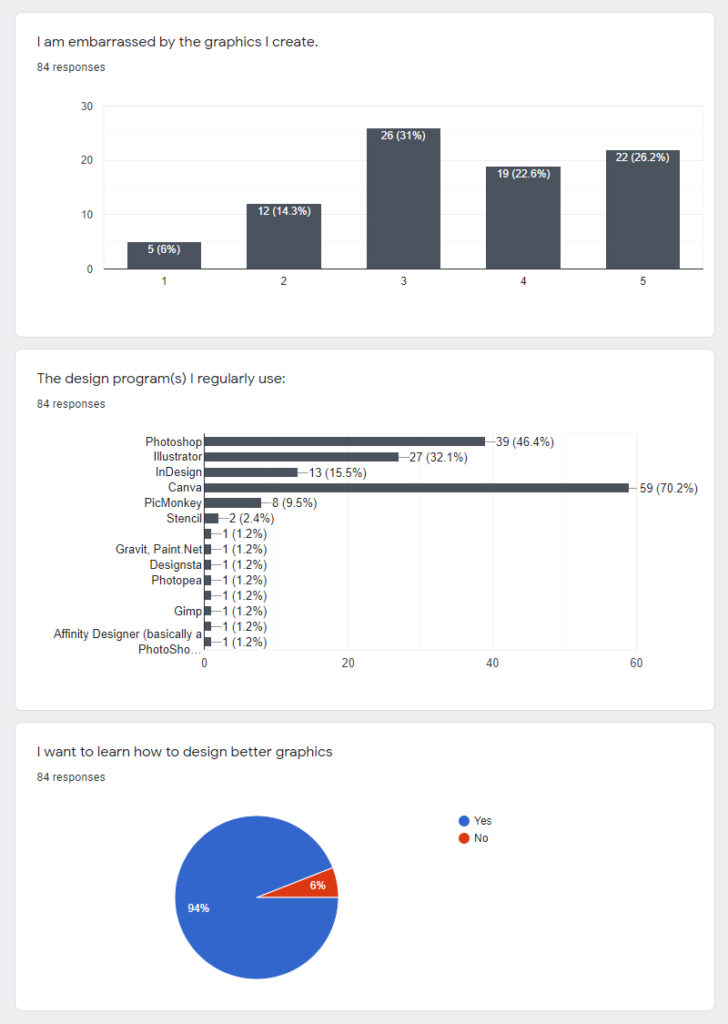
There’s a part of me that wishes I’d gone the easier route of creating a Google Form. While it’s not the prettiest, I’ve always really liked that it makes graphs and gives you percentages for answers – making it perfect if your survey is mostly made up of specific answers.
I could have and maybe should have chosen this option. I could have re-written a couple of my questions as having specific answers, but in the moment it felt better to ask them in an open-ended way.
You’ll also really like this option if you’re a spreadsheet nerd. You can have the answers auto-populated into a Google Spreadsheet.
Paperform
At the time of putting on this survey, I hadn’t yet tried Paperform – only seen it used a couple of times. In hindsight, I think this would have been a great option that I could have used paired with the branding of embedding it into my website.
I really like Paperform’s follow up email options. You can set it to send a confirmation email, which I thought was nice (you can do similar with an Elementor Pro form, but it’s much more complicated).
You’ll also find that there are lots of pre-made forms to choose from that might work well to suit your needs. After I had already created and sent out the survey, I used Paperform for a Hiring Questionnaire and I liked it. You can see an example of it embedded in an Elementor page here.

Deciding what to ask your audience
Beyond the important basics like their name (for identification purposes), and their email address (for your records, or so that you can send them their incentive), I suggest working backwards. What’s the reason you want to send out this survey – what is it you hope to gain as a result of doing it?
I think some people do it because they saw someone else do it (hey, I’m partially guilty!) without thinking about why they are doing it or how it will help their business.
I chose questions that reflected where I’m at in my offerings. Having grown my business substantially in the last couple of years, I wanted to gain an understanding of what my audience really knows about me, and what they don’t. More than that, I wanted to see if there was any correlation between the things they know. Were they more likely to know about certain services if they are in either of my Facebook groups for example? The answers might surprise you!
Questions I asked
I chose to keep my survey pretty short. There were plenty more questions that could have been helpful, but I didn’t want to overwhelm people – especially since not all of my answers were simple Yes/No or Click to answer questions.
- Name
- Email Address
- How did you discover me?
- Where do you look for my offers?
- Are you in my Facebook groups?
- Did you know that I have an affiliate program?
- You knew before today that I offer _____…
The most important question for me was #4 – Where do you look for my offers?
At time of this survey I have a highly experimental “Everything” page where all of my courses, ebooks, and trainings are listed. It’s out of date and I needed to either update it with newer offerings, but first I wanted to decide if it was worth it to do so. If people aren’t even finding my offerings on this page, or they don’t know where on my website to find them… is it really worth my energy?
Take that kind of thinking into consideration when you decide on your own list of questions to ask. Ask only what’s going to help you understand your audience and create a better experience for them – rather than stuff you just think you’re supposed to be asking just because you saw someone else do it.

My Survey Results!
My results were a pleasant surprise for me and I feel like I learned a lot from this experience. I left question #4 – Where do you look for my offers? very open intentionally so that I could see what people would say. Otherwise, the answers were fairly simplistic, click to answer types that allowed me to quickly go through the results and assess.
So let’s go through the questions (disregarding name and email address), their answers, and how I translate the results.
#3 How did you discover me?
I made this a simple dropdown choice selection so that people could simply choose one. I gave them the following answers as options:
- Word of mouth
- I got your course from a bundle
- I enrolled in a freebie
- I joined your Facebook group
- I found your blog via Pinterest
- Organic Search
- Heck, I don’t even remember anymore
I wish I had given people the option of “Other” with an additional form field as several people chose “Heck, I don’t even remember anymore”, and then told me in an unrelated text box that they did in fact know that they discovered me in another Facebook group. That was the only significant answer people gave if they decided to tell me more.
Otherwise, here’s a representation of the results based on how people answered:
- Word of Mouth

- I got your course from a bundle
- I enrolled in a freebie ⭐⭐⭐⭐⭐⭐⭐⭐
- I joined your Facebook Group ⭐⭐⭐⭐⭐⭐⭐⭐⭐
- I found your blog via Pinterest ⭐⭐⭐
- Organic Search ⭐
- Heck, I don’t even remember anymore ⭐⭐⭐⭐⭐⭐⭐⭐⭐⭐⭐⭐⭐⭐⭐⭐⭐⭐⭐⭐⭐⭐⭐⭐⭐⭐⭐⭐⭐⭐⭐⭐⭐⭐
Having been in several bundles, I’m not surprised to know that’s how so many people were first introduced to me. I’m also not shocked at all that so many don’t remember how they came across me since some members of my audience have been in my world for 5+ years now.
#4 Where do you look for my offers?
This was a bit of a trick question. I wanted to understand where my audience was finding my products. Did they even know I have an Everything page? I was curious to know what they would come up with, and I’m glad I decided to leave this question very open ended – allowing them to answer in their own words.
I collected the answers I saw repeatedly, and here’s what I came up with:
- Courses Page / Everything Page ⭐⭐⭐⭐⭐⭐⭐⭐⭐⭐⭐⭐⭐⭐⭐⭐⭐⭐⭐⭐⭐⭐⭐⭐⭐⭐⭐⭐⭐⭐⭐⭐⭐⭐⭐⭐⭐⭐
- Resource Library ⭐⭐⭐⭐⭐⭐⭐⭐⭐⭐⭐⭐⭐⭐⭐⭐⭐⭐
- Via Email ⭐⭐⭐⭐⭐⭐⭐⭐⭐⭐⭐⭐⭐⭐⭐⭐⭐⭐⭐
- Facebook Groups ⭐⭐⭐⭐⭐⭐⭐⭐
- Other ⭐⭐⭐⭐⭐⭐⭐⭐⭐⭐⭐⭐⭐⭐⭐⭐⭐
- Not Sure ⭐⭐⭐⭐⭐⭐⭐⭐⭐⭐
I was impressed to know that so many people were actually aware of my Everything Page. It’s a super experimental thing that I got the idea for from Elizabeth Goddard’s Everything Page. With this in mind, I will definitely be redesigning my Everything Page so that it can include more than just my courses and ebooks, but definitively “everything”.
I’m a bit baffled that so many people said that they go to my “Resources” page, because that’s actually my Resource Library where a few of my freebies and links to tools I use are organized. I’m not really sure what to do with that information.
Some people suggested that they only hear about my offerings via Email, or sometimes my Facebook groups. I was surprised that so many people said that they don’t visit my website at all unless I send them the link to buy something.
“Other” consists of people giving strange answers I didn’t fully understand or didn’t make sense to me, or people who claimed that they find my offers exclusively in their student dashboard.
And some people… they just outright let me know that they weren’t sure.
#5 Are you in my Facebook Groups?
I left this question open-ended and allowed my audience to answer via text rather than make a selection. I probably should have just done multiple choice. I gave the guidance that I was looking to know if they were in either group, or both.
With the exception of one person who said that they didn’t know I had groups, these are the results:
- Yes – The Blog Dept. ⭐⭐⭐⭐⭐⭐⭐⭐⭐⭐⭐⭐⭐
- Yes – Multi-Passionate Entrepreneurs ⭐⭐⭐⭐⭐⭐⭐⭐⭐⭐
- Yes – Both ⭐⭐⭐⭐⭐⭐⭐⭐⭐⭐⭐⭐⭐⭐⭐⭐⭐⭐⭐⭐⭐⭐⭐⭐⭐⭐⭐⭐⭐⭐⭐⭐
- No – Neither ⭐⭐⭐⭐⭐⭐⭐⭐⭐⭐⭐⭐⭐⭐⭐⭐⭐⭐⭐⭐⭐⭐⭐⭐⭐⭐⭐⭐⭐⭐⭐⭐⭐⭐⭐⭐⭐⭐
I’m not surprised to see that so many people are actually in both groups. This answer feels on par with everything else I learned about my audience. The more involved they were, the more they seemed to know and be entwined in my world.
Quite a few who said they were in Neither group either said that they do not use Facebook, or they are permanently banned from it.
This group serves as a safe space to learn, experiment, and grow as you navigate the world of monetized blog writing. Get education and support from experienced bloggers, and pick up on helpful tips.

A group for business owners with many interests looking to lend a hand, receive feedback, give support, and be involved in a safe and positive space for sharing their triumphs and failures.
#6 Did you know that I have an affiliate program?
I have over 200 affiliates as of this survey. It isn’t something I actively advertise – but I mention it at the end of every course, ebook, and training. I was curious how many people were aware that I even have an affiliate program since I don’t talk about it much.
I don’t know that I really learned anything from this question. I will need to cross-reference people’s names and see how many people who responded are/n’t affiliates already.
- Yes ⭐⭐⭐⭐⭐⭐⭐⭐⭐⭐⭐⭐⭐⭐⭐⭐⭐⭐⭐⭐⭐⭐⭐⭐⭐⭐⭐⭐⭐⭐⭐⭐⭐⭐⭐⭐⭐⭐⭐⭐⭐⭐⭐⭐⭐⭐⭐⭐⭐⭐⭐⭐⭐⭐⭐⭐⭐⭐⭐⭐⭐⭐⭐⭐⭐⭐
- No ⭐⭐⭐⭐⭐⭐⭐⭐⭐⭐⭐⭐⭐⭐⭐⭐⭐⭐⭐⭐⭐⭐⭐
It would have been much more helpful if I had done a follow up question asking people if they had joined, and if not… why. A few people used other text boxes to mention that they knew about my affiliate program but couldn’t join because I exclusively pay out via PayPal, and it’s not available in their country.
Wanna make some money?
Join My Affiliate Program!
Earn 35% of every qualifying sale you make using your unique affiliate link when you join my affiliate team. You’ll gain access to exclusive coupon codes, special offers for your audience, swipe copy, graphics, and more to help you make sales!
#7 You knew before today that I offered _____?
I have quite a few offerings, including a couple of services. I wanted to know what people knew I had, and what they didn’t. I made this a multi-choice question so people could ticker whatever they already knew about from the following responses:
- Courses
- eBooks
- Paid Live Trainings
- Elementor Templates
- Coaching Calls
- Social Media Templates
- Blog Post Feedback Services
I’m just gonna be honest and say that I feel like the results of this question are skewed. I might have done better making this as open-ended text box question, because I feel like some people just clicked whatever willy nilly. Like if you’re super new to my email list (which several people are) you are rather unlikely to know about some of my offerings because it’s been a year or more since I mentioned them.
In fact a few people who have been in my world a long time used other text boxes to mention that they knew about my Coaching and Blog Post Feedback services, but weren’t sure if it was still a thing I offered ongoing.
Here’s how the results looked…
- Courses ⭐⭐⭐⭐⭐⭐⭐⭐⭐⭐⭐⭐⭐⭐⭐⭐⭐⭐⭐⭐⭐⭐⭐⭐⭐⭐⭐⭐⭐⭐⭐⭐⭐⭐⭐⭐⭐⭐⭐⭐⭐⭐⭐⭐⭐⭐⭐⭐⭐⭐⭐⭐⭐⭐⭐⭐⭐⭐⭐⭐⭐⭐⭐⭐⭐⭐⭐⭐⭐⭐⭐⭐⭐⭐⭐⭐⭐⭐⭐⭐⭐⭐⭐⭐⭐⭐⭐⭐⭐⭐⭐⭐
- eBooks ⭐⭐⭐⭐⭐⭐⭐⭐⭐⭐⭐⭐⭐⭐⭐⭐⭐⭐⭐⭐⭐⭐⭐⭐⭐⭐⭐⭐⭐⭐⭐⭐⭐⭐⭐⭐⭐⭐⭐⭐⭐⭐⭐⭐⭐⭐⭐⭐⭐⭐⭐⭐⭐⭐⭐⭐⭐⭐⭐⭐⭐⭐⭐⭐⭐
- Paid Live Trainings ⭐⭐⭐⭐⭐⭐⭐⭐⭐⭐⭐⭐⭐⭐⭐⭐⭐⭐⭐⭐⭐⭐⭐⭐⭐⭐⭐⭐⭐⭐⭐⭐⭐⭐⭐⭐⭐⭐⭐⭐⭐⭐⭐⭐⭐⭐⭐⭐
- Elementor Templates ⭐⭐⭐⭐⭐⭐⭐⭐⭐⭐⭐⭐⭐⭐⭐⭐⭐⭐⭐⭐⭐⭐⭐⭐⭐⭐⭐⭐⭐⭐⭐⭐⭐⭐⭐
- Coaching Calls ⭐⭐⭐⭐⭐⭐⭐⭐⭐⭐⭐⭐⭐⭐⭐⭐⭐⭐⭐⭐⭐⭐⭐⭐⭐⭐⭐⭐⭐⭐⭐⭐
- Social Media Templates ⭐⭐⭐⭐⭐⭐⭐⭐⭐⭐⭐⭐⭐⭐⭐⭐⭐⭐⭐⭐⭐⭐
- Blog Post Feedback Services ⭐⭐⭐⭐⭐⭐⭐⭐⭐⭐⭐⭐⭐⭐⭐⭐⭐⭐
It’s no surprise to me that everyone knew I offered courses, and or that the majority know I offer ebooks. I was however surprised that some people said that they knew I offered Blog Post Feedback Services, while also saying they didn’t know that I offer ebooks. That doesn’t make any sense to me, which is another reason these seem a bit willy nilly.
Paid Live Trainings are becoming a more regular thing for me, so those results feel right to me. Elementor Templates are becoming a popular digital good for me, so I’m glad to know that so many people were aware that I offer them.

How I'm using my results
My goal was to get a better understanding of what my audience knows about me, and as a result, I hope to be more mindful in the coming year to make my audience more aware of my offerings. I think that’s the biggest goal for me – making sure I’m not dropping the ball on telling people about my courses, digital goods, and services.
Now that I know people are aware of my Courses / Everything page, I’m going to update it and continue directing people to it. Up until now, it’s been a thing I was trying… just to see if people would take to it. I’m glad they have, because I think it’s a fun page for browsing.
I’m not sure that there’s anything I can do to get more people from my email list into my Facebook groups other than to remind people more often in my emails. If they don’t want to join, or they don’t even use Facebook… then they just won’t join regardless.
Overall, I think it’s about bring more mindful. I’m excited to see how the results change next year.

Don't forget to Pin it!
If you enjoyed the content of this blog post and found it valuable, please save it to Pinterest so that other people can read and learn too!